From input to answer, with sources you can check.
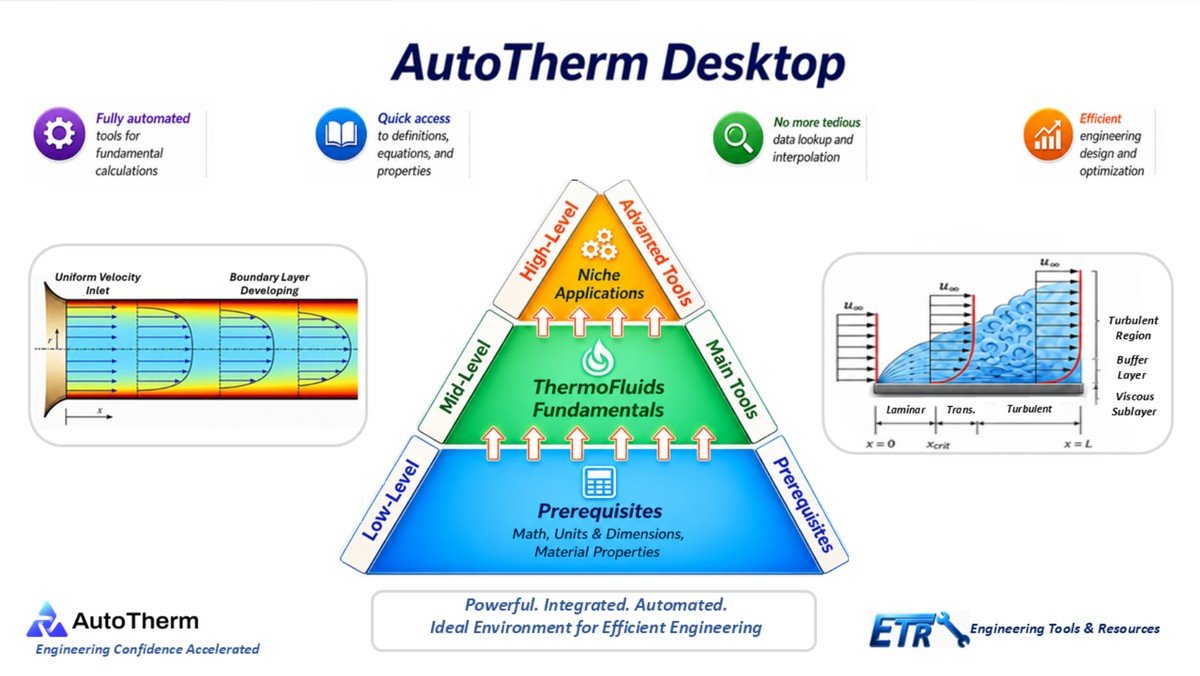
AutoTherm is organized in three levels, from prerequisites to advanced tools, and every tool works the same way: pick it, enter what you know, and get a result built on established methods and cited data.
Four steps, every time.
Whether it's a pipe system, a heat exchanger or a combustion problem, every AutoTherm tool follows the same pattern, so once you've used one, you know them all.
Pick your tool
Conduction, pipe flow, psychrometrics, combustion: whatever the problem calls for.
Enter what you know
The tool asks for exactly the inputs it needs, in the units you prefer.
Properties pulled in
Property data and correlations are looked up and interpolated automatically.
Get your result
Built on established methods, with data referenced to named engineering sources.
Three levels, built on top of each other.
Every tool sits somewhere on this pyramid. Its level tells you what it assumes you already know.
Niche applications
Discipline-specific tools built on the same foundation, with the same property data and automation, so there's nothing new to learn.
Thermofluids fundamentals
Heat transfer, fluid mechanics and thermodynamics: the everyday calculations, sharing one interface and one set of property data.
The foundation
Math, units and dimensions, constants and parameters, and material properties, already in place underneath every calculation.
The right tool for everyday calculations.
Thermofluid software comes in a few families, each built for a different job. AutoTherm fills the gap none of them were designed for.
Meshed 3D flow and temperature fields
Indispensable for detailed CFD and FEA studies, and more than an everyday calculation needs.
Flexible, if you write the procedure
Powerful when you already know the solution method and want to code it yourself.
General math, no engineering built in
Great for symbolic work, but you bring every equation, property and correlation.
Turnkey classical thermofluid problems
Pick the tool, enter the inputs, get the result. The method, properties and conversions are built in.
Results are deterministic and repeatable, with data referenced to named engineering sources. And if what you need is a meshed flow field, AutoTherm is the wrong tool, and we'd rather tell you that up front.
What you need to run it.
What do I need to run AutoTherm?
Can I run it on a Mac?
Does it need an internet connection?
See it solve something.
Watch real problems solved start to finish in the walkthrough library, organized by discipline.